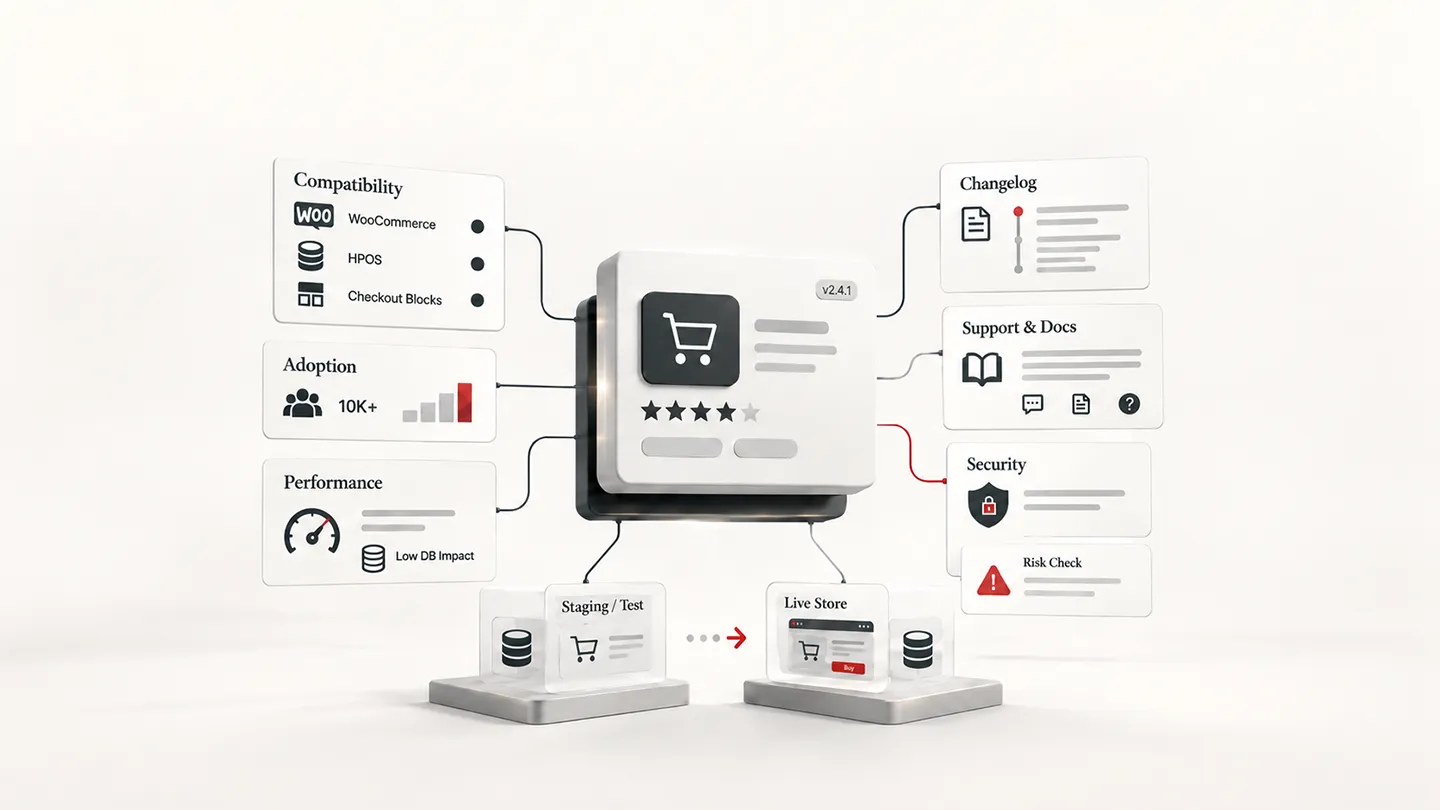
Installing a WooCommerce plugin is easy. Removing the wrong one six months later can be expensive.
A plugin that looks harmless on a product page can end up touching checkout, order data, cron jobs, customer accounts, payment flows, database tables, REST APIs, emails, admin screens and third-party services. By the time a store discovers that the plugin is poorly maintained or difficult to replace, it may already be part of the site's operating model.
That is why we do not evaluate WooCommerce plugins primarily by feature count.
A good plugin needs to solve the right problem, fit the store's current architecture, remain maintainable as WooCommerce changes, and behave predictably alongside the rest of the stack.
This is the framework we use when deciding whether a WooCommerce plugin is worth installing.
In normal client work, the first pass is more practical than forensic. We usually start by asking whether the plugin provides the exact functionality required, then look at signals such as active installations, maintenance history, compatibility and support. We do not routinely inspect the source code of every plugin before installation. Deeper technical investigation is more appropriate when the plugin is business-critical, behaves unexpectedly, has weak trust signals, or introduces a particularly sensitive dependency.
Last reviewed: 14 September 2026. WooCommerce compatibility requirements evolve, particularly around Checkout Blocks, High-Performance Order Storage and newer extension APIs.
The Short Version
Before installing a WooCommerce plugin, we want satisfactory answers to these questions:
| Question | Good signal | Warning sign |
|---|---|---|
| Does it solve a specific problem? | Narrow, clear purpose | Large feature bundle for a small requirement |
| Is it actively maintained? | Recent releases with meaningful changelog entries | Long silence or unexplained compatibility gaps |
| Does it support your WooCommerce architecture? | Explicit support for the features you use | Generic "WooCommerce compatible" language only |
| Does the developer communicate clearly? | Useful docs, changelog and support responses | Vague docs and unanswered recurring issues |
| Is the data portable? | Uses Woo/WordPress conventions or documents storage clearly | Proprietary lock-in with no export path |
| Is the performance cost reasonable? | Loads code only where needed | Site-wide scripts, heavy queries or unnecessary background jobs |
| Does it handle privacy and external services clearly? | Third-party services and data flows are documented | Hidden telemetry or unexplained external requests |
| Can you test and roll it back safely? | Staging-friendly, predictable activation/deactivation | Irreversible migrations or unclear uninstall behavior |
No single signal is enough on its own.
A plugin with 500,000 active installs can still be the wrong plugin for your store. A small plugin with 2,000 installs can be an excellent choice if it is well maintained, narrowly scoped and technically compatible with the problem you are solving.
1. Start With the Problem, Not the Plugin
The first question is not "Is this a good plugin?"
It is:
What exact problem are we trying to solve?
This sounds obvious, but plugin stacks often grow because a merchant sees a desirable feature rather than because the store has a clearly defined requirement.
Suppose the problem is that checkout asks for two unnecessary fields.
Possible solutions include:
- a few lines of custom code,
- a focused checkout-field editor,
- a full checkout replacement,
- a funnel builder with checkout functionality.
All four can technically solve the problem. They do not have the same maintenance cost.
We generally prefer the smallest intervention that solves the requirement reliably.
That was also the principle behind our WooCommerce checkout plugin comparison: a store that only needs field editing should not automatically install an entire funnel system.
The same logic applies elsewhere. Do not install an all-in-one marketing suite to add one email. Do not install a large search platform if the only issue is a missing product-filter control. Do not add a membership system when a simple role rule would do the job.
Every plugin creates another dependency. Make that dependency earn its place.
2. Check Compatibility With the WooCommerce You Actually Use
"Works with WooCommerce" is no longer a sufficiently precise compatibility statement.
Modern WooCommerce stores can differ significantly in architecture.
Depending on the plugin, we may need to know whether it supports:
- the current WooCommerce release,
- the site's WordPress version,
- the site's PHP version,
- High-Performance Order Storage (HPOS),
- Cart and Checkout Blocks,
- the classic shortcode checkout,
- block themes or the Site Editor,
- WooCommerce Subscriptions,
- WooCommerce Memberships,
- multilingual or multicurrency layers,
- the payment gateways in use,
- the theme or page builder used on the storefront.
WooCommerce's own extension compatibility guidance tells extension developers to test against current WordPress and WooCommerce versions and to declare compatibility with major Woo features such as HPOS and Cart & Checkout Blocks.
That matters because these are not cosmetic differences.
For example, Checkout Blocks use a different extensibility model from the classic shortcode checkout. WooCommerce provides explicit compatibility declarations for extensions that interact with Cart and Checkout Blocks, and not every classic PHP hook has a direct equivalent in the block checkout experience.
Similarly, WooCommerce can identify extensions that are incompatible with HPOS and may prevent HPOS from being enabled while those extensions remain active.
What we look for
If a plugin touches orders, checkout, payments or customer data, we want explicit documentation for the relevant WooCommerce features.
A statement such as "Compatible with WooCommerce" tells us very little.
A statement such as "Tested with WooCommerce 10.x, HPOS compatible, Cart & Checkout Blocks supported, classic checkout also supported" is much more useful.
And even that is a starting point, not proof. We still test the exact workflow ourselves before deploying it on a revenue-producing store.
3. Read the Changelog, Not Just the Sales Page
A product page tells you what the developer wants you to buy.
A changelog tells you what the developer actually maintains.
We usually scan several releases rather than only the most recent one.
Useful signs include:
- compatibility updates ahead of or shortly after major WooCommerce releases,
- fixes for real edge cases,
- security fixes described responsibly,
- performance improvements,
- gateway or theme compatibility work,
- database migration fixes,
- accessibility work,
- clear deprecations rather than silent removals,
- regular maintenance without meaningless version churn.
The release frequency itself is less important than what the releases contain.
A simple plugin may not need an update every month. A plugin that adds one small admin field and continues to work correctly does not become low quality just because it has not received a weekly release.
On the other hand, a checkout, subscription, payment or order-management plugin that has been untouched through multiple major WooCommerce changes deserves much more scrutiny.
Do not use "last updated" mechanically
WordPress.org exposes useful signals such as the version tested up to, minimum WordPress version and PHP requirement. Those are worth checking, but none should be interpreted in isolation.
A recently updated plugin can still be badly engineered. An older plugin can still be stable.
The better question is whether the maintenance history makes sense for the type of plugin and the parts of WooCommerce it touches.
4. Look at Support Threads for Patterns, Not Just Complaints
Every popular plugin has unhappy users.
We do not reject a plugin because someone left a one-star review saying it "broke everything."
Instead, we look for patterns.
The useful questions are:
- Are several users reporting the same bug?
- Does the developer understand the issue?
- Are support replies technically specific or generic templates?
- Are confirmed bugs actually fixed in later releases?
- Are users repeatedly reporting lost settings, failed orders or broken upgrades?
- Does support blame every conflict on the theme without investigating?
- Are there long-running compatibility issues with major gateways or Woo features?
One support thread can be noise. Ten similar threads across several months are a signal.
We also pay attention to how the developer behaves when the problem is difficult.
A plugin does not need to be bug-free. No serious software is.
What matters is whether the team can diagnose, communicate and repair problems when they happen.
5. Treat Ratings and Active Installs as Context, Not a Verdict
Ratings are useful. Active-install counts are useful. Neither is a quality score.
In practice, active installations are still one of the first signals we look at for an unfamiliar WordPress.org plugin. A substantial install base suggests that the plugin has been exposed to many real stores and configurations. It does not prove quality, but it lowers some of the uncertainty compared with a completely unproven option.
A large installation base can indicate:
- a long operating history,
- broad real-world exposure,
- stronger commercial incentives to maintain compatibility,
- a larger pool of support information and community knowledge.
But popularity can also come from being early, free, bundled, heavily marketed or simply good enough for a broad use case.
Likewise, a small install count does not automatically make a plugin risky.
Newer products and specialized B2B extensions may never accumulate the install numbers of a general-purpose SEO or security plugin.
We are much more comfortable with a small plugin when:
- the scope is narrow,
- the developer is identifiable and active,
- the changelog is credible,
- the documentation clearly explains the functionality and compatibility,
- support is responsive,
- the plugin behaves predictably in staging,
- the site can remove it without losing a core business process.
We are much less comfortable with a small plugin that processes payments, rewrites order data, or becomes the system of record for a major business workflow without clear long-term support.
The consequence of failure matters as much as the probability of failure.
6. Understand What Happens to Your Data
Before installing a plugin that stores important business information, find out where that information goes.
This matters especially for plugins handling:
- orders,
- subscriptions,
- memberships,
- bookings,
- customer profiles,
- loyalty points,
- product configuration,
- analytics,
- checkout fields,
- CRM synchronization,
- external APIs.
We want to know:
- Does it use standard WooCommerce or WordPress data structures?
- Does it create custom database tables?
- If so, are those tables documented and maintained properly?
- Is there an export path?
- What happens if the plugin is deactivated?
- What happens if it is uninstalled?
- Can another tool realistically take over the data later?
- Does it send customer or store data to an external service?
Custom tables are not a red flag by themselves. For some workloads they are the correct architectural choice.
The problem is undocumented ownership of business-critical data.
A plugin is much more expensive to replace when the store cannot clearly identify, export or migrate the data it created.
7. Check External Services, Telemetry and Privacy
Some WooCommerce plugins genuinely need external services.
Address autocomplete may call a mapping provider. Email delivery may use a transactional-email platform. Tax services may require remote APIs. Fraud detection, search, analytics and CRM connectors can all depend on third-party infrastructure.
The important part is that this should be clear before installation.
WordPress.org's plugin guidelines require directory plugins to obtain consent for tracking and to document external services appropriately. WordPress's privacy guidance also recommends documenting what personal data a plugin collects, stores or shares with third parties.
For a commercial plugin outside WordPress.org, we apply the same expectation even if the directory rules do not technically apply.
We want to know:
- Which external domains does the plugin contact?
- Why are those requests necessary?
- What data is transmitted?
- Is telemetry opt-in or opt-out?
- Does the feature stop working if the vendor's service disappears?
- Does the plugin load remote scripts on the storefront?
- Is an API key required?
- Are usage limits or overage charges involved?
This is especially important for customer-facing plugins because an apparently local WooCommerce feature can quietly add another privacy, availability and billing dependency.
8. Evaluate Performance in Terms of Scope
A plugin does not need to be tiny to be efficient.
The better question is whether it does work in proportion to the feature it provides.
We look for issues such as:
- scripts and styles loading on every page when they are only needed on one,
- expensive database queries on every request,
- repeated remote API calls that could be cached,
- large background queues with no retention policy,
- unnecessary wp-admin requests,
- repeated cart recalculation,
- large autoloaded options,
- duplicate functionality already provided elsewhere in the stack.
For WooCommerce, performance also depends heavily on context.
A query that is harmless on a store with 200 products may become a serious problem at 50,000 products. A scheduled job that is fine for 50 subscriptions may behave very differently at 20,000 subscriptions.
That is why generic claims such as "lightweight" do not mean much without knowing the store.
When the plugin will touch a high-volume workflow, test it with realistic data rather than an empty staging site.
9. Look for Overlap With the Existing Stack
Plugin conflicts are often less mysterious than they appear.
Two plugins are trying to own the same workflow.
Common examples include:
- two checkout-field managers,
- two SEO plugins,
- multiple caching layers doing the same job,
- several address-autocomplete implementations,
- overlapping abandoned-cart systems,
- two plugins modifying the same order statuses,
- multiple schema generators,
- duplicated analytics tracking,
- a theme and plugin both replacing the same WooCommerce template.
WooCommerce's own conflict-testing documentation recommends isolating themes and extensions when diagnosing compatibility problems.
We would rather avoid obvious overlap before installation than diagnose it after the site is broken.
Before adding a new plugin, list which existing plugins already touch the same part of the store.
Sometimes the correct decision is to replace an older plugin rather than add another one beside it.
10. Inspect the Commercial Model Before the Store Depends on It
For paid plugins, pricing is part of technical due diligence.
Not because the cheapest product is best, but because recurring software costs affect whether the store will actually keep the plugin maintained.
Check:
- annual renewal price,
- renewal discounts or lack of them,
- number of sites covered,
- whether updates stop when the license expires,
- whether functionality stops when the license expires,
- what support tier is included,
- whether key features require another plugin or plan,
- whether external API usage has additional charges,
- refund policy,
- whether staging sites consume licenses.
A $50 plugin can become expensive if it requires three add-ons. A $200 plugin can be good value if it replaces five unreliable pieces of the stack.
We also prefer business models where the merchant can understand the dependency clearly.
A plugin that continues to function but stops receiving updates after license expiry is a different risk from a SaaS-dependent plugin whose core feature stops immediately when billing ends.
Neither model is inherently wrong. The store should know which one it is buying.
11. Consider Vendor Continuity
Plugins are software products, but they are also maintained by businesses or people.
That matters for long-lived WooCommerce stores.
We look at whether the vendor appears capable of supporting the product over time:
- Is the company still actively shipping releases?
- Does it maintain several credible WordPress products or only one abandoned-looking project?
- Is documentation current?
- Are support channels functioning?
- Has ownership changed recently?
- Did the product's behavior change after an acquisition?
- Is there a public development repository or issue tracker?
- Does the team communicate breaking changes?
Acquisitions are not automatically bad. Neither are small independent developers.
What matters is whether the current maintainer appears to understand the product and continues to invest in it.
The WordPress Plugin Team itself warns that ownership changes can create risk when a plugin is acquired by a party that changes its behavior or introduces unwanted tracking.
Vendor history should therefore be part of the evaluation, especially for plugins that will become operationally difficult to replace.
12. Security History Needs Context
A past vulnerability does not automatically make a plugin unsafe forever.
Widely used plugins are examined more often, so they can accumulate more published security reports simply because more researchers look at them.
What interests us is the response:
- Was the issue fixed quickly?
- Was the fix communicated?
- Did the vendor work with the reporting process?
- Are similar vulnerabilities recurring because of the same weak engineering practices?
- Is the currently available version patched?
WordPress's current developer security guidance emphasizes validation and sanitization of input, escaping output, capability checks and keeping code current.
If a plugin handles customer data, admin actions, uploads, REST endpoints or checkout requests, its security posture matters more than its visual polish.
For important plugins, we also search current vulnerability databases before deployment rather than assuming that the product page would advertise security problems.
13. Test the Exact Workflow on Staging
Research can narrow the list. It cannot replace testing.
Before deploying an important WooCommerce plugin, reproduce the actual store workflow in staging.
For a checkout plugin, that may mean testing:
- guest checkout,
- logged-in checkout,
- multiple payment gateways,
- coupons,
- shipping methods,
- taxes,
- mobile layout,
- express payments,
- failed payments,
- refunds,
- subscription renewals if relevant,
- emails,
- order creation,
- analytics events.
For an import plugin, test rollback and duplicate handling.
For a subscription plugin, test renewals, failed payments, cancellations and status transitions.
For a search or filter plugin, test realistic catalog size, mobile behavior, URLs and pagination.
For an integration plugin, disconnect the external API and see how gracefully the store fails.
The more revenue-sensitive the feature, the less comfortable we are relying on a demo site or marketing screenshots.
Our Practical Scoring Framework
When several plugins appear capable of solving the same requirement, this is roughly how we weight the decision:
| Area | Weight |
|---|---|
| Fit for the actual requirement | 25% |
| WooCommerce and stack compatibility | 20% |
| Maintenance and release history | 15% |
| Reliability, support and vendor quality | 15% |
| Data portability and architecture | 10% |
| Security and privacy | 5% |
| Performance footprint | 5% |
| Price and licensing | 5% |
This is not meant to produce a fake mathematical certainty.
It is a way to stop one attractive feature from dominating the decision.
For example, if Plugin A has a slightly better interface but stores critical data in a proprietary remote system with poor documentation, while Plugin B is less polished but uses normal WooCommerce data structures and has excellent compatibility history, Plugin B may be the safer long-term choice.
For a temporary marketing feature, we might accept more vendor dependency. For subscriptions or order management, we would be much more conservative.
Red Flags That Usually Stop the Evaluation
Some signals are serious enough that we often stop considering the plugin unless there is a compelling reason to continue.
These include:
- no clear compatibility information for the WooCommerce feature it modifies,
- multiple reports of data loss or duplicate orders with no credible response,
- abandoned-looking development on a business-critical extension,
- unexplained external requests or telemetry,
- undocumented migration of important store data,
- a feature that requires disabling normal WooCommerce safeguards,
- no realistic way to test or roll back a major migration,
- heavy overlap with an existing plugin,
- support that consistently ignores reproducible technical problems,
- a vendor that obscures core pricing or required add-ons until checkout.
None of these rules is absolute, but they raise the burden of proof significantly.
Signals We Like
The strongest plugins tend to make evaluation easier rather than harder.
We like seeing:
- explicit WooCommerce compatibility declarations,
- a meaningful changelog,
- technical documentation that explains edge cases,
- clear data and privacy documentation,
- sensible defaults,
- hooks or APIs for extension where appropriate,
- good error handling,
- migration and rollback documentation,
- staging-friendly licensing,
- support staff who can discuss the actual implementation,
- a product scope that is easy to explain in one sentence.
One of the reasons we tend to trust narrowly focused WooCommerce extensions more quickly is that their failure modes are easier to understand.
A plugin that does one thing well is not automatically better than a platform-style product, but its place in the architecture is usually easier to reason about.
Free vs Paid Does Not Decide Quality
We regularly recommend both free and paid plugins.
Our best free WooCommerce plugins list includes products we would comfortably use on real stores. Our broader WooCommerce plugin roundup also includes commercial extensions where the paid product solves a more demanding problem.
The business model changes what you should evaluate, but it does not determine whether the code is good.
For free plugins, pay particular attention to whether the free version is actively maintained and whether the upgrade path is clear.
For paid plugins, pay particular attention to renewal economics, support quality and whether the commercial vendor is likely to remain available when the plugin becomes business-critical.
A free plugin can have excellent engineering. A premium price tag can still buy poor architecture.
Marketplace Listings Are a Signal, Not a Guarantee
A plugin being sold through the official WooCommerce Marketplace is a useful positive signal because it sits inside the Woo ecosystem and must meet marketplace requirements.
But we still evaluate the product itself.
The official marketplace contains extensions with different ratings, maintenance histories and product quality. Likewise, excellent WooCommerce products exist outside the marketplace.
We treat distribution channel as one input, not the conclusion.
The same applies to WordPress.org.
A listing there gives us useful public information — update history, ratings, support threads, compatibility metadata and install count — but inclusion in the directory does not mean the plugin is automatically the best solution for a particular store.
The Final Pre-Install Checklist
Before an important WooCommerce plugin reaches production, we want to be able to answer all of these:
- What exact problem does this plugin solve?
- Is there a smaller or already-installed solution that solves the same problem?
- Does it support our WordPress, PHP and WooCommerce versions?
- Does it support HPOS, Checkout Blocks or other Woo features we actually use?
- Is the changelog consistent with active maintenance?
- Are there recurring unresolved issues in reviews or support?
- Where does it store business-critical data?
- What external services does it contact?
- What happens if the license expires or the vendor disappears?
- Does it overlap with another plugin in the stack?
- Can we remove it without breaking or losing important data?
- Have we tested the real workflow on staging with realistic data?
- Do we have a backup and rollback path before deployment?
If several of those answers are unclear, the plugin is not ready for production simply because its feature list looks good.
Final Verdict
Good WooCommerce plugin selection is less about finding the product with the most features and more about controlling dependencies.
The best plugin is usually the one that solves the requirement cleanly, works with the architecture already in place, stores data predictably, and has a maintainer you are comfortable depending on.
That is also why our plugin recommendations are use-case driven rather than universal rankings.
A checkout extension, subscription system, search plugin and backup tool should not be judged with exactly the same risk tolerance. The closer a plugin gets to money, orders, customer data or a core operating process, the more evidence we want before installation.
Installing a plugin takes seconds.
Choosing one that you will still be comfortable running three years later deserves considerably more time.