WooCommerce checkout plugins solve very different problems, which is why a generic list of “the best checkout plugins” is usually not very useful.
One store needs a cleaner replacement for the default checkout. Another needs order bumps and post-purchase upsells. Another only needs to remove two fields. A fourth wants customers to choose a product and pay without visiting a separate cart page at all.
Those are not the same requirement, and they should not automatically lead to the same plugin.
Our view in 2026 is simple: start with the smallest checkout intervention that solves the actual problem. The native WooCommerce checkout is much better than it used to be, and adding a large checkout system when you only need one custom field creates unnecessary maintenance.
If the goal is improving completion rather than choosing software, start with our WooCommerce Checkout Optimization in 2026 guide. It covers guest checkout, field reduction, address entry, payments, mobile UX, error recovery, and performance before you decide whether a checkout plugin is necessary.
This guide combines hands-on WooCommerce checkout work — including real use of CheckoutWC — with current product research for the other tools below. We do not describe products as hands-on tested when they were evaluated from current documentation, compatibility information, pricing, maintenance history, and product scope instead.
Last researched: 11 September 2026. Pricing, compatibility, and checkout architecture can change quickly.
The Short Version
| Need | Our pick | Best for | Price at review |
|---|---|---|---|
| Focused checkout replacement | CheckoutWC | Stores that want a polished checkout without adopting a full funnel system | From $149/year |
| Funnels, bumps and upsells | FunnelKit Funnel Builder | Stores where checkout is part of a larger conversion funnel | From about $99.50/year |
| Advanced checkout fields | ThemeHigh Checkout Field Editor | Stores that need conditional fields, pricing fields and structured field management | $49/year |
| Simple Woo-native field editing | Woo Checkout Field Editor | Straightforward field changes with an official Woo extension | $49/year |
| Product + checkout on one page | WooCommerce One Page Checkout | Focused landing pages and simple purchase flows | $79/year |
| Skip or shorten the cart step | Direct Checkout for WooCommerce | Stores that want faster product-to-checkout paths | From $49/year |
Our overall pick remains CheckoutWC when the objective is simply to make the store checkout better.
Choose FunnelKit instead when checkout is only one stage of a wider funnel strategy involving order bumps, one-click upsells, dedicated sales pages, A/B testing, or multiple checkout flows.
If the default checkout already works well and you only need extra fields, do not install either of those. Use a focused field editor instead.
Before Installing Anything: Are You Using Classic Checkout or Checkout Blocks?
This is the most important compatibility question in WooCommerce checkout customization in 2026.
WooCommerce now has two substantially different checkout architectures in the wild:
- the classic shortcode checkout,
- the newer Cart and Checkout Blocks.
They may look similar to customers, but extensions interact with them differently.
WooCommerce's current developer documentation explains that Checkout Blocks use JavaScript on the front end, the Store API, and a defined extensibility system. Some PHP actions and filters from the classic checkout still work, while others need block-specific alternatives.
That means a checkout plugin being “WooCommerce compatible” is no longer enough information by itself.
Before buying anything, determine which checkout your store actually uses and confirm that the specific feature you need works with that architecture.
This matters especially for:
- custom checkout fields,
- field placement,
- validation,
- payment gateway integrations,
- order bumps,
- address tools,
- subscription checkout behavior,
- custom PHP snippets written for the classic checkout.
A plugin can be excellent on classic checkout and still be the wrong choice for a store moving to Checkout Blocks.
1. CheckoutWC — Best Focused WooCommerce Checkout Replacement
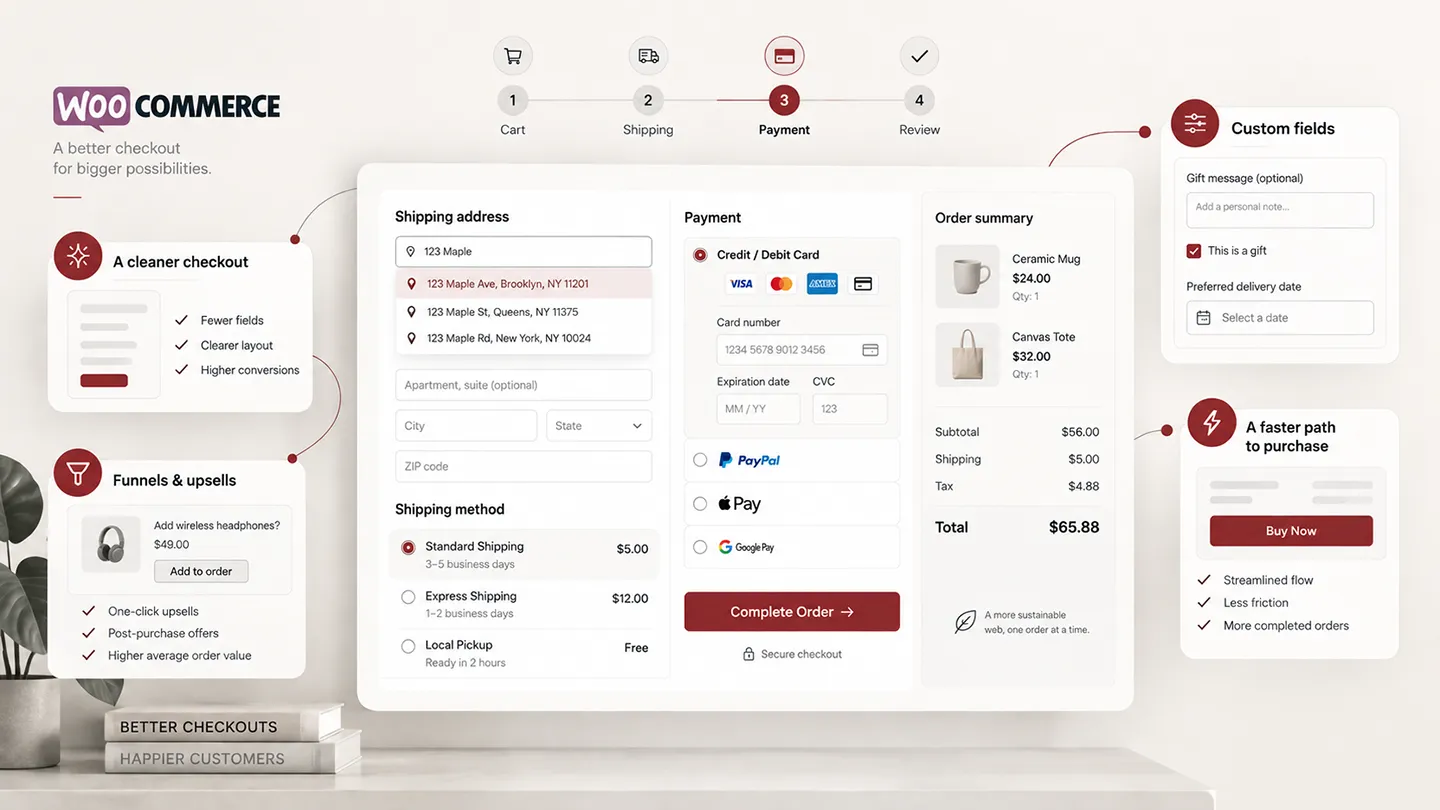
CheckoutWC remains our first choice when the requirement is straightforward: replace the standard WooCommerce checkout with a cleaner, more conversion-focused checkout experience.
This is the product in this guide we have the strongest hands-on experience with.
In real project work, we found CheckoutWC to be a good checkout foundation rather than a rigid black box. Its integrated address autocomplete was useful, including Google-powered autocomplete, and we were able to tune the implementation so Google address queries only ran for selected countries instead of universally. We also customized the checkout beyond the defaults: adding a date-of-birth field where the business required it and changing field and label ordering to match the desired workflow.
That flexibility matters to us. A checkout replacement is much more useful when it gives the store a better default experience without preventing the developer from adapting the flow to business-specific requirements.
What we like about CheckoutWC is that its core purpose is easy to understand. It is not primarily a CRM, page builder, automation platform or funnel suite. It replaces the checkout and gives the merchant a more polished purchase flow while continuing to work on top of WooCommerce.
The Basic plan is currently $149/year for one site. It includes five checkout templates, address autocomplete support, address validation integration, an order-review step and other checkout-focused tools. Higher plans add features such as order bumps, abandoned-cart recovery, A/B testing and post-purchase offers.
CheckoutWC has also continued to receive substantial development in 2026. Its current changelog includes a new visual checkout editor, compatibility fixes for payment gateways and themes, performance work, A/B testing for order bumps, and continued maintenance around WooCommerce Subscriptions and express payments.
Why we prefer it for a focused checkout project
Checkout customization can become much larger than the original problem.
A merchant starts by wanting a cleaner billing form and suddenly has a funnel builder, CRM, email automation engine and ten new dashboard screens.
CheckoutWC is easier to justify when that is not what you want.
It also explicitly recommends testing payment gateways and checkout behavior before activation. That sounds obvious, but checkout plugins sit at the most revenue-sensitive point of a WooCommerce store. We prefer products that treat compatibility testing as part of deployment rather than an afterthought.
Where CheckoutWC is not the best choice
If you want complex sales funnels, multiple product-specific checkout flows, extensive upsell/downsell sequences and a broader funnel-building system, FunnelKit is more ambitious.
If you only want to remove the company field or add a delivery-date field, CheckoutWC is probably excessive.
Best for: stores that want a substantially better checkout while keeping the project centered on checkout itself.
Our verdict: the best overall WooCommerce checkout replacement for most stores that genuinely need one.
2. FunnelKit Funnel Builder — Best for Checkout Funnels, Order Bumps and Upsells
FunnelKit Funnel Builder is the stronger choice when the requirement is not really “change my checkout.” It is build a conversion system around checkout.
FunnelKit can replace the global WooCommerce checkout, build product-specific checkout pages, create one-step or multi-step flows, add order bumps, run one-click post-purchase upsells and downsells, customize thank-you pages, and build complete sales funnels.
Its documentation also supports multiple building approaches, including the Block Editor, Elementor, Divi, Oxygen, Bricks and shortcode-based integrations.
Current pricing starts around $99.50/year for the Basic plan, with higher plans adding order bumps, one-click upsells, A/B testing, analytics and broader FunnelKit functionality.
Why FunnelKit makes sense
There are stores where checkout is part of the marketing model rather than simply the place where a customer enters an address and card number.
Typical examples include:
- digital products,
- courses,
- high-margin direct-response products,
- stores using dedicated campaign landing pages,
- products with obvious order-bump opportunities,
- businesses that actively optimize average order value after the initial purchase decision.
For those stores, installing a simple checkout skin and then adding separate plugins for funnels, bumps and upsells can be less coherent than starting with a system designed around the whole flow.
Why we would not install it everywhere
More capability means more configuration, more surface area and more things to test.
A store selling ordinary catalog products with a straightforward checkout may not benefit from turning checkout into a funnel project.
We would choose FunnelKit because the business needs its funnel features — not because a larger plugin must automatically convert better.
Best for: stores where checkout is part of a deliberate funnel and AOV strategy.
Our verdict: more powerful than CheckoutWC as a funnel system; less focused if all you need is a cleaner default checkout.
3. ThemeHigh Checkout Field Editor — Best for Advanced Checkout Fields
If the layout is fine and the real problem is the information you collect, use a field editor instead of replacing the checkout.
ThemeHigh Checkout Field Editor is our strongest field-management option in this guide.
The Pro version is currently $49/year for one site and supports 24 field types in the classic editor, conditional display rules, pricing fields, additional sections and field placement controls. ThemeHigh also documents support for WooCommerce Checkout Blocks, with a separate block editor and a more limited set of supported field types.
That distinction is exactly what we want a vendor to make clear in 2026: classic checkout and block checkout are not identical environments.
Where it is useful
A field editor makes sense for requirements such as:
- delivery instructions,
- VAT or tax identifiers,
- customer reference numbers,
- gift messages,
- preferred delivery dates,
- business-specific questions,
- optional services that add a fee,
- conditional questions based on cart contents or customer selections.
The plugin can also create price-based fields, which makes it more useful than a basic “rename or hide fields” tool for stores with optional paid services.
The caveat
Do not add fields merely because you can.
Every field adds friction. Checkout should collect what the business actually needs to fulfil the order, comply with legal requirements, or support a clearly valuable customer option.
If your optimization strategy is “add more questions,” you are probably moving in the wrong direction.
Best for: stores with meaningful checkout-field logic rather than checkout-design problems.
Our verdict: the best fit here for advanced field management without replacing the entire checkout.
4. Woo Checkout Field Editor — Best Simple Official Woo Option
Woo also sells its own Checkout Field Editor extension.
It is currently $49/year, has 20,000+ active installations on the WooCommerce Marketplace, and is designed to add, remove or edit checkout fields from the WordPress admin.
This is a more conservative recommendation than ThemeHigh.
The attraction is not that the official extension has the longest feature list. It does not. The attraction is that it is a Woo-developed product with a narrow scope, which can be appealing when the requirement is ordinary field editing and the merchant prefers to stay close to the official Woo ecosystem.
When we would choose it
Use it when you need straightforward changes such as:
- remove unnecessary fields,
- change labels,
- make a field optional or required,
- add a simple custom field,
- reorder checkout information.
For more complex conditional logic, pricing fields and advanced layouts, ThemeHigh has a deeper feature set.
One additional note: the Woo Marketplace listing currently has a relatively weak aggregate customer rating. We would not ignore that merely because the plugin is official. Official ownership is a maintenance signal, not a guarantee that a product is automatically the best fit for every store.
Best for: merchants who want simple field editing and prefer a Woo-developed extension.
Our verdict: a reasonable conservative option, but ThemeHigh is stronger when field logic becomes complex.
5. WooCommerce One Page Checkout — Best for Product Selection and Payment on One Page
WooCommerce One Page Checkout solves a different problem from CheckoutWC or FunnelKit.
It lets a merchant place product selection and the checkout form on the same page, allowing customers to choose products and complete payment without going through the normal catalog → cart → checkout sequence.
The extension currently costs $79/year.
This is especially useful when the buying decision is already focused around a small set of products or one specific offer.
Examples include:
- a membership,
- a simple subscription offer,
- an event or service,
- a campaign landing page,
- a short product list,
- a featured product with several purchasing options.
The extension can work on product pages or custom landing pages and supports several built-in product-selection templates.
Why it is not a general checkout replacement
One Page Checkout is not primarily about redesigning the normal store checkout.
It is about collapsing product selection and checkout into one purchasing surface.
That can be excellent for the right offer and awkward for a large catalog where customers expect to browse, build a cart and compare products before paying.
The product also has relatively modest customer ratings on the Woo Marketplace, so we would test the exact workflow carefully rather than assuming an official Woo extension is automatically the strongest implementation available.
Best for: focused offers where the customer should choose and pay on one page.
Our verdict: useful for specific purchase flows, not something we would add to a normal catalog store by default.
6. Direct Checkout for WooCommerce — Best for Skipping Unnecessary Steps
Direct Checkout for WooCommerce by QuadLayers is for stores where the main problem is simply that customers are taking too many steps to reach payment.
The plugin can redirect customers directly from product pages to checkout, add quick-purchase behavior, remove or simplify checkout elements, and place cart editing inside the checkout flow.
It has a free version, while the current paid single-site plan starts at $49/year.
Where this approach works
Direct checkout is attractive when customers commonly purchase one obvious product and there is little reason to send them through a separate cart page.
Examples include:
- single-product stores,
- simple digital products,
- service purchases,
- repeat-order products,
- campaign traffic landing on a specific SKU.
Where it can backfire
The cart is not always friction.
For multi-product stores it can be a useful review stage where customers adjust quantities, remove mistakes, add another product, check shipping thresholds or apply a coupon.
Removing steps only improves checkout when those steps are genuinely unnecessary.
Best for: simple purchase journeys where the cart page adds little value.
Our verdict: a useful lightweight optimization, but not a substitute for a full checkout redesign when that is what the store actually needs.
What About the Native WooCommerce Checkout?
For many stores, our first recommendation is no checkout plugin at all.
WooCommerce's Checkout Block has become a serious extensibility platform rather than merely a new visual layout. The current developer APIs expose additional checkout fields, validation, payment-method integrations, Store API extensions, filters, Slot/Fills and checkout events.
That does not mean every old customization works automatically. In fact, migration from classic checkout is exactly where many compatibility problems appear.
But it does mean the decision should no longer start with “which checkout replacement should I install?”
Start with:
- What is actually wrong with the current checkout?
- Can WooCommerce settings or the editor fix it?
- Is a small custom integration enough?
- Do we only need a field editor?
- Do we genuinely need a full checkout replacement or funnel system?
The fewer systems involved in payment, validation, shipping and order creation, the easier the store is to maintain.
Checkout Plugins We Would Not Stack Together
Checkout is one of the worst places to solve problems by accumulating plugins.
We would generally avoid combinations such as:
- two full checkout replacements,
- two checkout-field editors,
- multiple plugins trying to control the same order bumps,
- a funnel checkout plus another plugin that replaces the same checkout template,
- overlapping address-autocomplete systems,
- old classic-checkout snippets left active after moving to Checkout Blocks.
Some products can coexist, but every overlap needs a reason.
A checkout is a transaction workflow, not a page where more functionality is automatically better.
How We Would Choose
For a normal WooCommerce store where the native checkout genuinely needs a better customer-facing experience, we would start with CheckoutWC.
For a direct-response or funnel-oriented store where checkout, order bumps, upsells and campaign-specific flows are all part of the conversion strategy, we would start with FunnelKit.
For a store whose checkout design is already fine but needs complex additional information, we would choose ThemeHigh Checkout Field Editor.
For a simple store that only needs a few Woo-native field changes, the official Woo Checkout Field Editor is enough.
For a focused landing page where product selection and payment should happen together, WooCommerce One Page Checkout solves that specific problem.
For a simple product journey where the cart is unnecessary, Direct Checkout for WooCommerce is the lighter approach.
And when none of those requirements exist, we would keep the native checkout.
Final Verdict
The best WooCommerce checkout plugin is not the one with the most conversion features.
It is the one that solves the checkout problem you actually have without creating a larger maintenance problem around the most important transaction flow on the site.
Our ranking in 2026 is therefore deliberately use-case driven:
- CheckoutWC — best overall focused checkout replacement.
- FunnelKit Funnel Builder — best for funnels, order bumps and upsells.
- ThemeHigh Checkout Field Editor — best for advanced checkout fields.
- Woo Checkout Field Editor — best simple Woo-developed field editor.
- WooCommerce One Page Checkout — best for product + checkout landing pages.
- Direct Checkout for WooCommerce — best for shortening simple purchase paths.
If we were building a new store, we would not install any of them until the native checkout had demonstrated a specific limitation.
That restraint matters. Checkout plugins can improve conversion and customer experience, but they also touch payment gateways, validation, addresses, shipping, taxes, subscriptions and order creation. Every checkout change deserves more testing than an ordinary front-end plugin.
For a broader view of the stack around checkout, see our best WooCommerce plugins in 2026 guide.
Frequently Asked Questions
What is the best WooCommerce checkout plugin in 2026?
For a focused replacement of the standard WooCommerce checkout, our pick is CheckoutWC. FunnelKit is stronger when checkout is part of a larger funnel strategy with order bumps, upsells and dedicated sales flows.
Do I need a checkout plugin for WooCommerce?
Usually not. Start with WooCommerce's native checkout and add a plugin only when you can identify a specific limitation. Many stores need better configuration rather than an entirely new checkout system.
What is the best plugin for editing WooCommerce checkout fields?
ThemeHigh Checkout Field Editor is our pick for advanced field management because it supports conditional rules, pricing fields, custom sections and both classic and block checkout workflows. Woo's official Checkout Field Editor is a simpler alternative for basic field changes.
Does every WooCommerce checkout plugin work with Checkout Blocks?
No. Classic checkout and Checkout Blocks have different extensibility systems. Confirm support for the exact feature you need rather than relying on a generic “WooCommerce compatible” claim.
Is a one-page checkout always better?
No. One-page and direct-checkout flows work well when the purchase decision is simple and focused. For larger catalogs, a cart or multi-step flow can help customers review products, quantities, shipping and discounts before payment.
Should I use CheckoutWC or FunnelKit?
Choose CheckoutWC when you mainly want a better store checkout. Choose FunnelKit when you also want funnels, product-specific flows, order bumps, one-click upsells and broader conversion tooling.