Search is one of the easiest WooCommerce features to ignore until the catalog becomes large enough that customers stop browsing and start typing.
At that point, the default search box is no longer just navigation.
It is part of the buying experience.
A shopper who searches for an exact SKU, a slightly misspelled product name, a brand, a variation, or a category already has strong intent. If the store returns nothing — or returns twenty weak matches before the obvious product — that customer is being asked to work harder than necessary.
The best WooCommerce search plugins solve different versions of this problem.
Some focus on fast autocomplete. Some build a separate product index. Some improve all WordPress search, not just products. Others combine search with filtering, analytics, merchandising, or hosted infrastructure for large catalogs.
Our current default WooCommerce-focused pick is FiboSearch.
But the right choice changes quickly once the requirement becomes more specific.
Last researched: 23 September 2026.
A note on our experience: we have used Relevanssi in WordPress work, but not as our primary WooCommerce product-search layer. The WooCommerce-specific products in this roundup are evaluated primarily from current product documentation, feature scope, maintenance, adoption, architecture, and fit for different store sizes.
The Short Version
| Plugin | Best for | Model | Current signal |
|---|---|---|---|
| FiboSearch | Best overall WooCommerce-focused live search | Free + Pro | 100,000+ active installs |
| WooCommerce Product Search | Best integrated search + filters + analytics | Paid Marketplace extension | 10,000+ active installs |
| Jetpack Search | Best hosted search for larger or busier catalogs | Free tier + usage-based paid plans | Hosted Elasticsearch-based service |
| SearchWP | Best for custom WooCommerce data and broader WordPress search | Paid | WooCommerce support in Pro |
| Advanced Woo Search | Best strong free WooCommerce search alternative | Free + Pro | 70,000+ active installs |
| Relevanssi | Best when product search is part of a broader WordPress search problem | Free + Premium | 100,000+ active installs |
If we were improving search on a normal WooCommerce store today, FiboSearch would be our first plugin to evaluate.
If the store also needs strong live filtering, search reports, and a tightly integrated WooCommerce search layer, WooCommerce Product Search becomes more interesting.
If filtering itself is the bigger problem, see our Best WooCommerce Product Filter Plugins in 2026 guide. It compares dedicated filtering systems for variations, mobile UX, performance, filtered URLs, and complex catalogs.
For very large catalogs or stores where search load should not depend heavily on the WordPress database, Jetpack Search deserves a closer look.
What Good WooCommerce Search Actually Needs to Do
Customers do not search a store the way developers search a database.
They type:
- incomplete product names,
- SKUs,
- model numbers,
- plurals,
- misspellings,
- category terms,
- brands,
- attributes,
- variation data,
- words from product descriptions,
- terms the merchant did not expect.
A good WooCommerce search system therefore needs more than a prettier search box.
The most useful capabilities are usually:
- relevance — the obvious product should appear first,
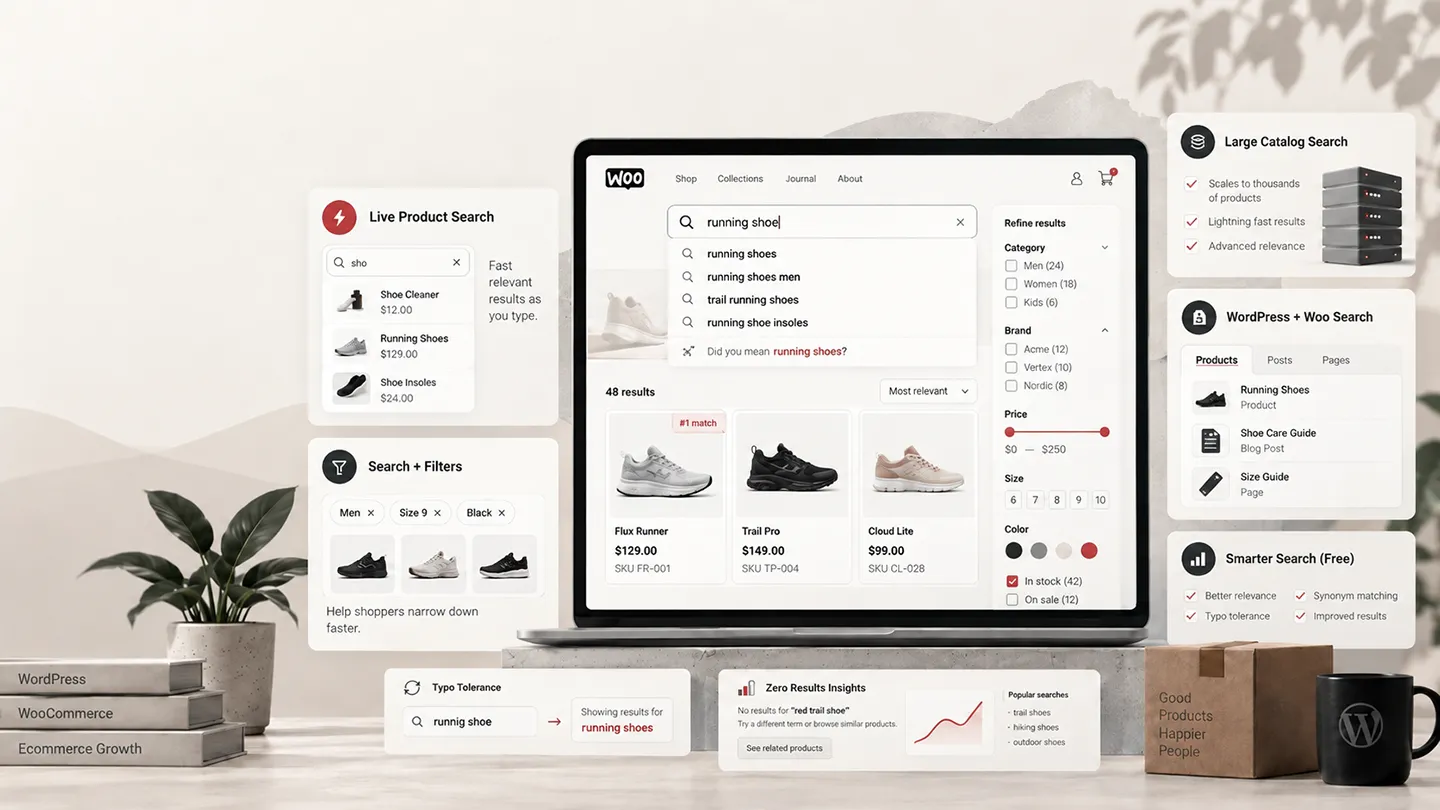
- autocomplete — useful results while the shopper is still typing,
- SKU search — essential for technical, B2B, replacement-part, and repeat-purchase stores,
- variation awareness — important when the actual purchasable item is a variation,
- fuzzy matching — so a small typo does not produce zero results,
- synonyms — useful when customers and merchants use different terminology,
- attribute/custom-field search — for specifications that are not in the title,
- fast indexing — especially once the catalog becomes large,
- product-aware results — image, price, stock state, rating, SKU, or add-to-cart controls,
- analytics — particularly zero-result searches,
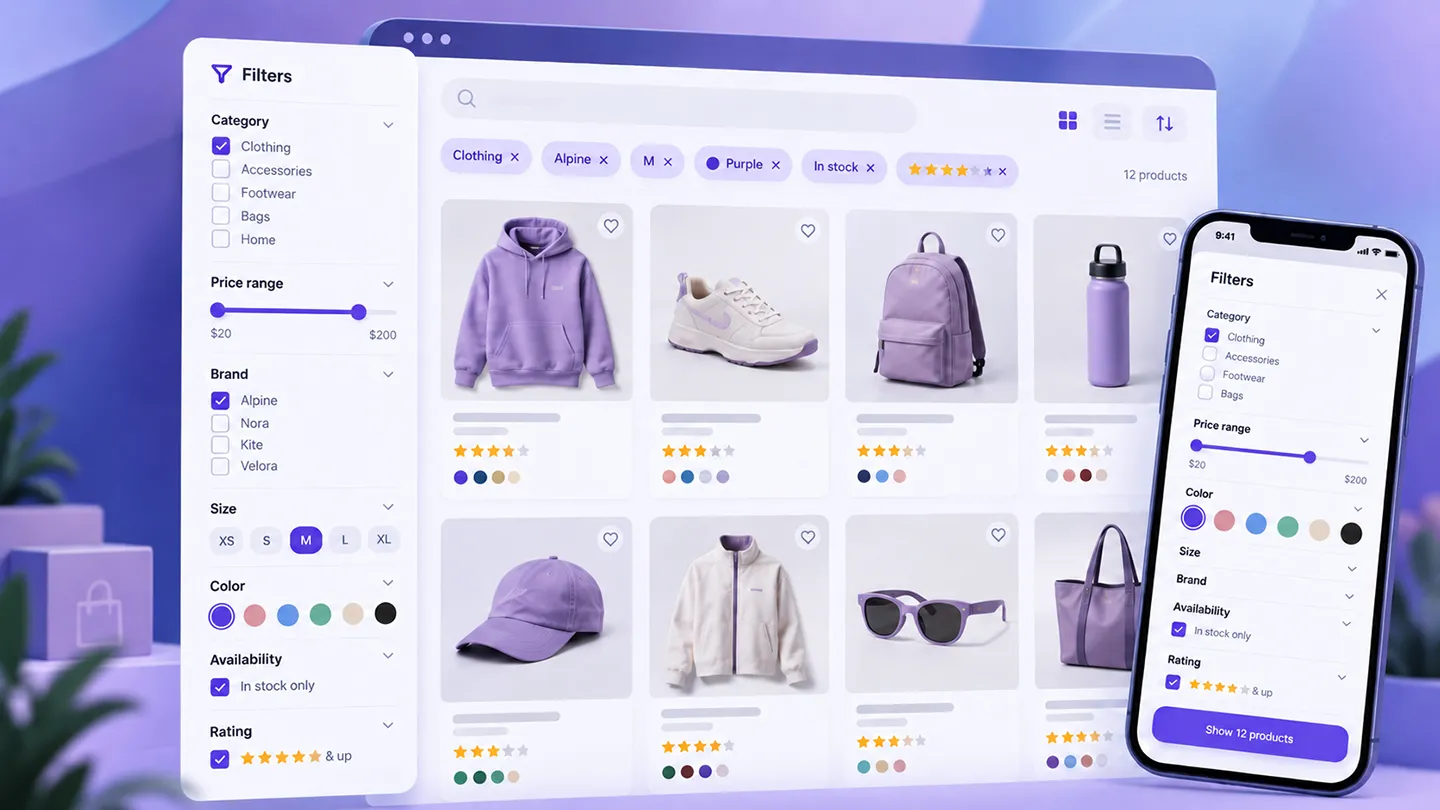
- filtering — when search is really the first step in catalog discovery.
Not every store needs all of these.
A catalog of 80 products with clear names may need little more than fast autocomplete.
A catalog of 50,000 technical parts may need a dedicated indexed engine with SKU, attribute, synonym, and fuzzy-search control.
The correct plugin should match the catalog, not the longest feature list.
1. FiboSearch — Best Overall WooCommerce-Focused Search
FiboSearch is the WooCommerce search plugin we would evaluate first for most stores.
It currently has 100,000+ active installations and was updated in September 2026.
Its free version already provides the feature most merchants are actually looking for when they say they want "better WooCommerce search":
a fast AJAX product search experience that displays useful product results while the customer types.
What the free version covers
FiboSearch Free can search product data such as:
- product titles,
- descriptions,
- short descriptions,
- SKUs.
Autocomplete results can display product information including:
- images,
- prices,
- SKUs.
That is a meaningful improvement over a plain text search-results workflow because the customer can often identify the correct product without first loading a separate results page.
For stores where customers know roughly what they want, that reduction in friction is valuable.
Why Pro changes the equation
FiboSearch Pro uses its own indexed search engine and adds features including:
- faster indexed search,
- variation SKU search,
- custom-field search,
- attribute search,
- fuzzy matching,
- synonyms,
- brand search,
- category and tag search,
- product exclusions.
The current Personal plan starts at $59 for the first year for one site with up to 10,000 products.
The product limits in its plans are worth noticing. FiboSearch explicitly positions larger licenses around larger catalogs, with higher tiers supporting more products per site.
For stores with extremely large catalogs, the vendor itself suggests that SaaS-style search may eventually become more appropriate.
Why we like the positioning
FiboSearch is focused.
It is not trying to replace all WordPress search, create a document search engine, or become a complete merchandising platform.
It is primarily trying to make WooCommerce product search noticeably better.
That narrow scope is a strength.
For many stores, the problem really is:
"Our header search should instantly find the right product, including SKU and variations, and it should feel modern."
FiboSearch maps directly to that requirement.
What we would test before buying Pro
We would test the free version first with real catalog data.
Use actual customer-style searches:
- exact product name,
- partial product name,
- SKU,
- common misspelling,
- brand,
- plural/singular term,
- category term,
- variation identifier.
Then check whether the limitation is relevance, missing searchable data, or speed.
If the store specifically needs fuzzy matching, variation SKU search, custom fields, or a faster dedicated index, Pro becomes easier to justify.
Best for: most WooCommerce stores that want fast, product-focused autocomplete and a clear upgrade path for better indexing and relevance.
Our current pick: best overall starting point.
2. WooCommerce Product Search — Best Integrated Search, Filters, and Analytics
WooCommerce Product Search is a paid WooCommerce Marketplace extension developed by itthinx.
It currently reports 10,000+ active installs, version 7.7.0, and a 4.3/5 rating from 195 verified reviews.
The reason to consider it is not simply the search field.
It is the combination of:
- product search,
- live search,
- live filters,
- search indexing,
- relevance controls,
- product-search analytics,
- blocks,
- WooCommerce-aware front-end and back-end integration.
It treats search and filtering as the same customer journey
This is the product's strongest distinction.
A customer may begin with:
"running shoes"
and then narrow by:
- size,
- brand,
- price,
- rating,
- stock state,
- product attribute.
WooCommerce Product Search provides live filter components for that second step.
Its live search can display product information while the shopper types, and the filtering system can update catalog results without a full page reload.
For stores where shoppers discover products through both text search and faceted filtering, that integrated model makes sense.
Search analytics are more important than they look
The extension includes reports around search activity.
That can expose questions such as:
- What are customers searching for most?
- Which searches produce no useful result?
- Are customers searching for a product we do not sell?
- Are they using different language from the product titles?
- Is a popular search term returning the wrong product first?
Search data can inform more than search configuration.
It can influence:
- product naming,
- synonyms,
- catalog gaps,
- merchandising,
- navigation,
- content strategy.
The newer AI positioning
The current Marketplace listing also promotes self-contained AI-assisted search logic, with data remaining on the site's server rather than being sent to an external AI platform.
We would treat that as a feature to test rather than the main reason to buy the extension.
Relevance is measurable.
If the search results improve for real catalog queries, the implementation is useful. If they do not, the label attached to the algorithm matters much less.
What gives us pause
This is a broad product.
If all you need is a better header autocomplete field on a 300-product store, FiboSearch or Advanced Woo Search may solve the problem with less configuration.
WooCommerce Product Search becomes more compelling when search, filters, reports, and WooCommerce catalog discovery are all part of the requirement.
Best for: stores that want a more complete WooCommerce-native search and filtering system rather than only autocomplete.
3. Jetpack Search — Best Hosted Search for Larger or Busier Catalogs
Jetpack Search takes a fundamentally different approach.
Its search index is powered by hosted Elasticsearch-based infrastructure rather than relying only on normal WordPress database queries.
That architectural difference becomes more interesting as:
- catalog size grows,
- traffic increases,
- search becomes more complex,
- the WordPress database is already busy serving WooCommerce.
WooCommerce support is deeper than generic site search
When WooCommerce is active, Jetpack Search provides product-specific search and filtering capabilities including:
- product result layouts,
- product category filters,
- product tag filters,
- product brand filters where available,
- price filtering,
- stock-status filtering,
- rating filtering,
- product-attribute filtering,
- price and rating sort options.
The current Search 3.0 block system also allows the search interface to be composed more directly inside the block editor.
Why hosted indexing matters
Search can become expensive.
A poorly optimized search query across titles, descriptions, metadata, attributes, and taxonomies can put real load on a WordPress database.
A hosted search service moves much of that work away from the store server.
That is attractive when the store is large enough that search performance is becoming infrastructure work rather than merely a plugin setting.
Pricing depends on usage
Jetpack Search has a free tier for sites under its current record and search-request limits.
Paid pricing scales according to indexed records and search requests.
That means the cost model is fundamentally different from buying a $59 plugin license.
For a small catalog, usage-based search may be unnecessary.
For a large catalog, the important comparison is not simply plugin price. It is also:
- infrastructure load,
- search latency,
- indexing reliability,
- maintenance,
- scalability.
The trade-off
Your search experience becomes dependent on an external hosted service.
Some merchants will prefer that because they do not want the production WordPress server doing the heavy work.
Others will prefer a self-contained product index they control locally.
Neither architecture is universally better.
Best for: larger or busier WooCommerce stores where hosted indexing, scalable search, and product filtering are more important than keeping the whole search stack inside WordPress.
4. SearchWP — Best for Custom WooCommerce Data and Broader WordPress Search
SearchWP is not only a WooCommerce search plugin.
That is precisely why it belongs here.
A WooCommerce site may also need to search:
- custom post types,
- ACF data,
- documentation,
- PDFs,
- custom fields,
- media,
- product metadata,
- categories and taxonomies.
SearchWP is built around creating configurable search engines across that wider WordPress data model.
WooCommerce requires the Pro level
SearchWP's current Pro plan includes WooCommerce integration and eCommerce product data.
Its broader search capabilities include:
- custom fields,
- custom post types,
- taxonomies,
- document content,
- multiple search engines,
- relevance/algorithm customization,
- priority results,
- custom result ordering,
- search metrics and statistics.
That makes it useful when the store's search requirement cannot be reduced to:
"search the product title and SKU."
A practical example
Imagine a store selling industrial components.
The important searchable values may exist in:
- product title,
- SKU,
- ACF technical specifications,
- custom metadata,
- downloadable PDF documentation,
- product category,
- a separate knowledge-base post type.
A WooCommerce-only autocomplete plugin may not be the best conceptual fit.
SearchWP lets the developer decide what should be indexed and how much each source should influence relevance.
Where it is weaker for the simple use case
If the requirement is simply a polished live-search box with product thumbnails, prices, and instant suggestions, a WooCommerce-specific tool like FiboSearch starts closer to the desired outcome.
SearchWP is more attractive when the search model itself is custom.
Best for: stores where WooCommerce products are only one part of a larger custom WordPress search system.
5. Advanced Woo Search — Best Strong Free WooCommerce Alternative
Advanced Woo Search is one of the most interesting free options in the category.
It currently has 70,000+ active installations and has been updated repeatedly throughout 2026.
The free plugin includes a surprising amount of WooCommerce-specific search functionality.
Current free capabilities include
Search can cover:
- product title,
- content,
- excerpt,
- SKU,
- product ID,
- categories,
- tags.
It also supports:
- live AJAX results,
- variable products,
- relevance-based ordering,
- plural handling,
- synonyms,
- stop words,
- misspelling correction,
- configurable search-result content,
- integration with normal search-results pages.
That is a lot of functionality before paying anything.
Why it is worth testing before buying another tool
If the store is small or medium-sized and the core requirement is:
"customers need to find products by more than the exact title"
Advanced Woo Search may already solve it.
It is especially worth comparing directly against FiboSearch Free.
Do not compare screenshots.
Install both on staging and use the same search-query test set:
- product title,
- partial title,
- SKU,
- common typo,
- category,
- synonym,
- variation/product family term.
Then compare:
- relevance,
- speed,
- integration with the theme,
- mobile behavior,
- result appearance.
The better plugin is the one that works with the actual catalog.
Why FiboSearch is still above it for us
FiboSearch has a particularly clear WooCommerce autocomplete focus and a mature Pro upgrade path built around its dedicated indexed engine.
Advanced Woo Search is nevertheless strong enough that we would not pay for another product before testing it.
Best for: merchants looking for a capable free WooCommerce-focused search plugin before committing to a paid search stack.
6. Relevanssi — Best When WooCommerce Search Is Part of a Wider WordPress Search Problem
Relevanssi is the one product in this roundup we have used directly.
But we would not describe that experience as equivalent to running it as a dedicated WooCommerce product-search system.
We have used Relevanssi primarily as a better WordPress search engine.
That distinction matters.
What Relevanssi does
Relevanssi replaces WordPress's default search behavior with its own relevance-based index and can search much more than standard post titles.
The current free plugin has 100,000+ active installations.
It supports features such as:
- relevance-based ordering,
- partial and fuzzy matching,
- custom-field indexing,
- taxonomy support,
- synonyms,
- search logging,
- better excerpts and highlighting.
Relevanssi specifically supports WooCommerce data, including searchable custom fields such as SKUs.
Premium currently costs €120 for an annual unlimited-site license or €402 for a permanent license.
Our hands-on view
What we like about Relevanssi is control.
When WordPress search feels too literal or too shallow, Relevanssi gives the developer a much better relevance model and many filters for adjusting how indexing and matching work.
It is particularly useful when search needs to span different WordPress content types rather than being restricted to a shop catalog.
Why it is not our #1 WooCommerce recommendation
Relevanssi is not primarily designed around the polished WooCommerce autocomplete experience.
If the merchant wants:
- instant product cards,
- product images,
- live prices,
- dedicated variation search,
- shopping-oriented autocomplete,
a WooCommerce-specific search interface usually gets there faster.
Relevanssi can also use substantial database space. Its own WordPress.org documentation warns that the index may require several times the size of the site's wp_posts table.
That does not make it bad.
It means architecture and hosting resources matter.
When we would choose it
Relevanssi becomes particularly interesting when a site needs one search system across:
- products,
- posts,
- documentation,
- custom post types,
- custom fields,
- taxonomies.
For a store that is also a large knowledge resource, that flexibility may matter more than having the most specialized product autocomplete.
Best for: WordPress-heavy sites where WooCommerce products are part of a broader site-search requirement.
FiboSearch vs Advanced Woo Search
These two are probably the first comparison we would make for a typical store.
Both offer useful WooCommerce-focused search without immediately requiring an expensive hosted service.
Start with FiboSearch when
You care most about:
- polished product autocomplete,
- strong WooCommerce focus,
- clear Pro upgrade path,
- dedicated indexed search in Pro,
- variation SKU support in Pro,
- fuzzy search and synonyms in Pro.
Start with Advanced Woo Search when
You want to see how far a free plugin can take you with:
- broad product-field search,
- live AJAX results,
- SKU search,
- variable-product support,
- synonyms,
- misspelling handling,
- relevance configuration.
For many stores, either free plugin may already be enough.
The deciding factor should be actual search quality with the catalog, not which settings page looks more advanced.
SearchWP vs Relevanssi
These two make more sense when the problem is broader than WooCommerce.
Both can improve search across custom WordPress data.
SearchWP makes more sense when
You want a commercial product with:
- multiple configurable search engines,
- custom database/table support,
- WooCommerce integration,
- document indexing,
- metrics,
- commercial support.
Relevanssi makes more sense when
You want:
- a strong free WordPress search replacement,
- extensive developer-level control,
- relevance tuning,
- custom field and taxonomy search,
- a system we know can work well for general WordPress search.
Neither would be our first choice if the entire requirement were simply:
"give this WooCommerce header a fast product autocomplete."
That is a different problem.
Search Should Include SKU Data When Customers Actually Use SKUs
SKU search is not equally important for every merchant.
For fashion or lifestyle stores, many shoppers may never see the SKU.
For other businesses, the SKU is the product name from the customer's perspective.
Examples include:
- spare parts,
- electronics,
- industrial supplies,
- B2B catalogs,
- replacement components,
- repeat purchases,
- wholesale ordering.
If a customer copies ABC-4821-X from an invoice and your store says "No products found," the search implementation is failing a high-intent customer.
That is why SKU and variation-SKU behavior should be explicitly tested.
Do not assume "supports WooCommerce" means every search plugin treats parent products, variations, and variation SKUs the same way.
Fuzzy Search Is Useful, but It Can Also Make Results Worse
Typo tolerance sounds universally good.
It is not always.
Imagine a catalog containing several model numbers that differ by one character.
An aggressive fuzzy-search algorithm may "correct" a customer toward the wrong model.
Likewise, short terms can produce noisy partial matches.
The goal is not maximum fuzziness.
It is useful tolerance without destroying precision.
We would test:
- common misspellings,
- one-character SKU errors,
- very short product names,
- products with similar names,
- singular and plural forms.
The right fuzzy configuration depends on the catalog.
Synonyms Can Fix Search Problems Without Renaming Products
Search logs often reveal a language mismatch between merchant and customer.
The merchant may call a product:
"cordless impact driver"
while customers search:
"battery impact wrench"
or:
"power driver"
Changing every product title may not be desirable.
A synonym system can map common customer language to the catalog terminology.
This is particularly useful for:
- regional terminology,
- technical abbreviations,
- alternate spellings,
- old product names,
- common brand/category shorthand.
Synonyms are one reason search analytics and zero-result logs become valuable over time.
Zero-Result Searches May Be More Valuable Than Popular Searches
Popular searches tell you what customers already find.
Zero-result searches tell you where the store is failing.
A zero-result query can mean:
- you sell the product but search cannot find it,
- the product uses different terminology,
- the relevant attribute is not indexed,
- the customer misspelled it,
- the item is out of stock or hidden,
- the store genuinely does not sell what customers want.
Those are very different business problems.
If a search product provides query reporting, we would regularly inspect the searches that return nothing.
Fixing ten high-intent zero-result searches can be more useful than redesigning the entire search interface.
Large Catalogs Change the Architecture Decision
For a few hundred products, many search approaches will feel fast enough.
At tens of thousands of products, architecture becomes much more important.
The search system may need to index:
- product titles,
- variations,
- SKUs,
- attributes,
- taxonomies,
- custom fields,
- descriptions.
Doing complex matching against the normal WordPress database for every keystroke can become expensive.
This is where dedicated indexes and hosted search services matter.
Broadly, the options become:
Local indexed search
Examples include FiboSearch Pro and other plugins that maintain optimized search data inside the WordPress environment.
Advantages:
- more control,
- no external search dependency,
- predictable license model.
Trade-offs:
- database/storage use,
- indexing jobs,
- server resources still matter.
Hosted search
Jetpack Search is the clearest example in this roundup.
Advantages:
- heavy search work moves away from the WordPress server,
- easier scaling for large data sets,
- hosted indexing infrastructure.
Trade-offs:
- recurring usage-based cost,
- external-service dependency.
There is no catalog-size number where every site must switch.
Hosting quality, product complexity, traffic, and search frequency all matter.
Do You Need a Search Plugin at All?
Not necessarily.
A small WooCommerce store with:
- a narrow catalog,
- clear product names,
- strong category navigation,
- simple attributes,
- low search usage,
may not gain enough from another plugin to justify the extra complexity.
Before installing anything, test the existing store search using real customer-style queries.
Ask:
- Does exact product-name search work?
- Does partial search work well enough?
- Do customers use SKUs?
- Are variations important?
- Are there frequent zero-result searches?
- Is search slow?
- Does mobile search feel awkward?
- Do customers need filters after searching?
If the current search already solves the problem, leave it alone.
We apply the same principle we use when evaluating WooCommerce plugin quality:
install the smallest intervention that solves an actual requirement.
What We Would Choose
For a normal WooCommerce store that mainly needs a modern, fast product search box, we would start with FiboSearch.
For a store where search and live product filtering are part of the same discovery experience, we would evaluate WooCommerce Product Search.
For a large catalog where search should run on hosted infrastructure, we would look closely at Jetpack Search.
For a custom WordPress build where WooCommerce product data must be searched alongside custom fields, documentation, custom post types, or other content, SearchWP becomes more compelling.
Before paying, we would also test Advanced Woo Search, because its free feature set is stronger than many merchants need.
And if the real problem is site-wide WordPress relevance rather than specifically WooCommerce autocomplete, Relevanssi remains a very capable tool we know from actual use.
Final Verdict
Our current order is:
- FiboSearch — best overall starting point for WooCommerce-focused product search.
- WooCommerce Product Search — best integrated combination of search, live filters, analytics, and WooCommerce catalog discovery.
- Jetpack Search — best hosted architecture for larger or busier stores.
- SearchWP — best for custom product data and mixed WordPress/WooCommerce search.
- Advanced Woo Search — best strong free WooCommerce-focused alternative.
- Relevanssi — best when products are only one part of a broader WordPress search problem.
The bigger lesson is that "better search" is not one feature.
A store may need faster autocomplete, better relevance, SKU lookup, fuzzy matching, variation awareness, filtering, analytics, or a completely different indexing architecture.
Figure out which search failure customers are actually experiencing first.
Then choose the smallest system that fixes it.
Frequently Asked Questions
What is the best WooCommerce search plugin in 2026?
For most normal WooCommerce stores, our current starting pick is FiboSearch. Its free version provides useful live product search, while Pro adds a dedicated indexed engine, fuzzy matching, synonyms, variation SKU search, custom fields, and attributes.
What is the best free WooCommerce search plugin?
FiboSearch Free and Advanced Woo Search are the two we would test first. Advanced Woo Search is particularly generous with features such as synonyms and misspelling handling, while FiboSearch has a very polished WooCommerce-focused autocomplete experience and a strong Pro upgrade path.
Can WooCommerce search by SKU?
WooCommerce search behavior depends on the implementation. Several plugins in this roundup explicitly support SKU search. If SKU lookup matters to your customers, test both parent-product SKUs and variation SKUs before choosing a plugin.
What is the best search plugin for a large WooCommerce catalog?
For large catalogs, we would evaluate indexed or hosted search rather than relying on increasingly complex normal WordPress queries. FiboSearch Pro provides its own optimized index, while Jetpack Search moves the search workload to hosted Elasticsearch-based infrastructure.
Is Relevanssi good for WooCommerce?
It can be. Relevanssi can index WooCommerce products, custom fields such as SKUs, and other WordPress data. We have used Relevanssi for general WordPress search, but we would choose a more WooCommerce-specific product first when the primary requirement is polished product autocomplete.
What is the difference between WooCommerce search and product filtering?
Search begins with a text query. Filtering narrows a product set by structured data such as category, attribute, price, rating, or stock status. Larger catalogs often benefit from both because a customer may search first and then refine the results.
Does better product search improve sales?
Potentially, especially when customers already have strong purchase intent. But installing a search plugin alone does not guarantee higher conversion. The useful measure is whether customers find relevant products faster, whether zero-result searches fall, and whether search users progress into product views, carts, and purchases.