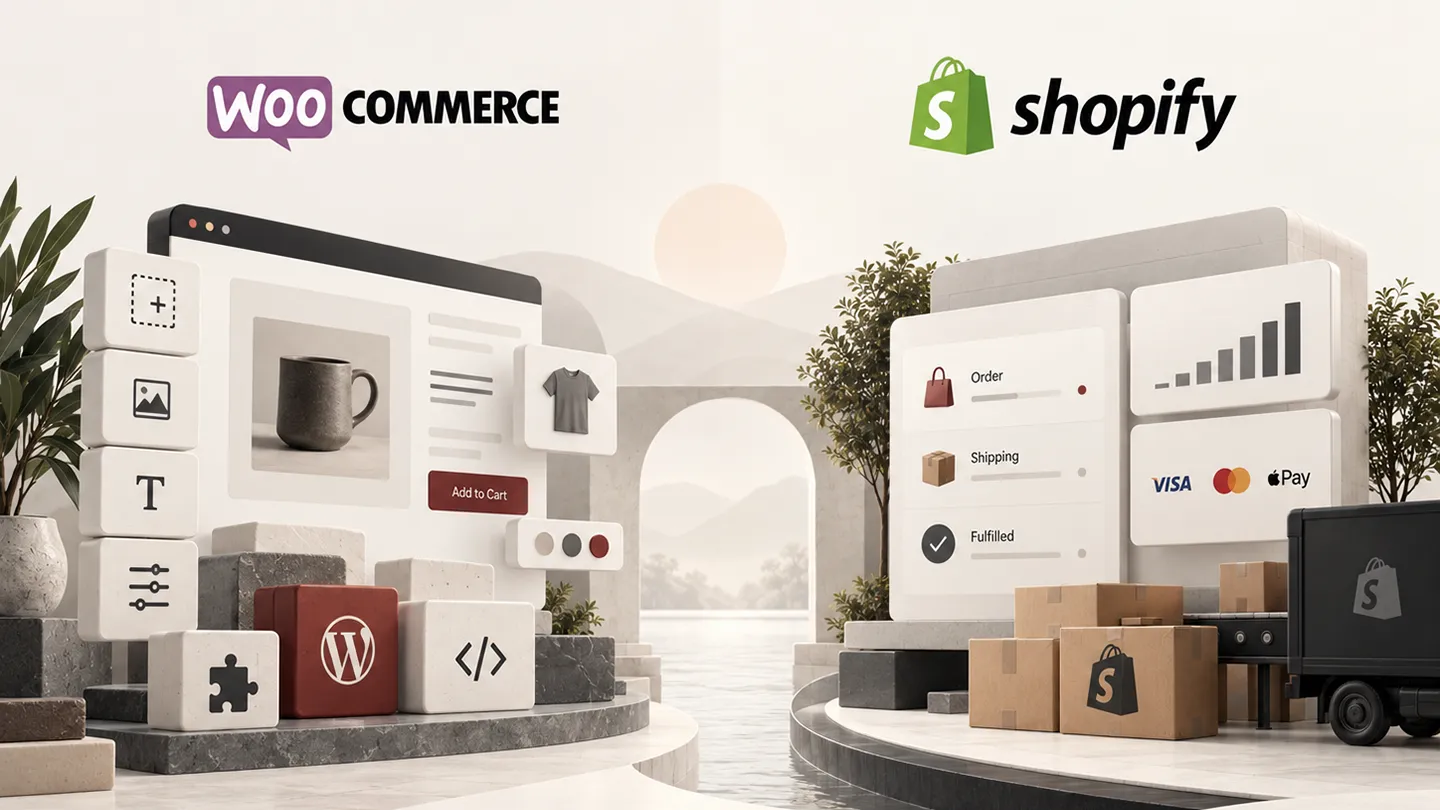
WooCommerce and Shopify can both run excellent online stores. The important difference in 2026 is not which platform has the longer feature list. It is where you want the complexity to live.
Shopify takes more of the infrastructure, checkout, hosting, platform maintenance, and operational responsibility away from the merchant. WooCommerce gives the store owner much more control over the code, hosting stack, data model, checkout behavior, and surrounding WordPress site — but that freedom also creates more things to maintain.
That trade-off matters more than almost every feature-by-feature comparison.
Our WooCommerce view in this article draws heavily on hands-on implementation and maintenance experience. We have used Shopify in the past, but not recently enough to describe the 2026 Shopify side as current hands-on testing. For Shopify, we therefore rely on current platform documentation and product research rather than treating older experience as evidence of how the platform works today.
Last researched: 9 September 2026. Pricing, plan limits, payment fees, and platform capabilities can change.
The Short Version
Choose Shopify if: you want a commerce platform that removes as much hosting and platform maintenance as possible, your workflows are relatively standard, and you would rather work within a well-defined system than own every layer of it.
Choose WooCommerce if: control, custom workflows, content, payment flexibility, integrations, and the ability to modify or replace almost any part of the stack matter more than reducing technical responsibility.
For many small and medium merchants with no technical team, Shopify is the easier default.
For businesses with unusual workflows, a strong WordPress/content strategy, an experienced developer, or requirements that do not fit neatly inside a SaaS platform, WooCommerce is often the more powerful foundation.
The wrong conclusion is that Shopify is "simple" and WooCommerce is "complex." A heavily customized Shopify store can become expensive and architecturally complex through apps, Plus features, integrations, and external services. A well-designed WooCommerce store with a restrained plugin stack and good managed hosting can be straightforward to operate.
WooCommerce vs Shopify: Quick Comparison
| Area | WooCommerce | Shopify | Our edge |
|---|---|---|---|
| Initial setup | More decisions: hosting, WordPress, plugins, payments | Hosted and guided | Shopify |
| Ongoing platform maintenance | Merchant/host/developer responsibility | Mostly handled by Shopify | Shopify |
| Hosting | Choose and control your host | Included with platform | Depends |
| Deep customization | Very high | Stronger than it used to be, but within defined extension surfaces | WooCommerce |
| Checkout out of the box | Good, depends on stack | Highly standardized and managed | Shopify |
| Deep checkout customization | Broad code-level control | Powerful extension APIs, but important UI surfaces still require Plus | WooCommerce |
| Payments | Broad processor freedom | Best economics usually inside Shopify Payments | WooCommerce |
| International selling | Powerful but often assembled from multiple tools | Markets is deeply integrated | Shopify |
| Content / publishing | WordPress is the underlying CMS | Good commerce CMS, less flexible as a publishing system | WooCommerce |
| SEO control | Very high | Strong defaults with less architectural freedom | WooCommerce |
| Apps / extensions | Huge WordPress + Woo ecosystem | Large mature app ecosystem | Tie |
| Subscriptions | Mature extension ecosystem | First-party Shopify Subscriptions plus third-party apps | Depends |
| Data / infrastructure control | High | Managed SaaS platform | WooCommerce |
| Developer freedom | PHP, JS, REST APIs, hooks, database, hosting | APIs, Functions, extensions, Liquid, Storefront API | WooCommerce |
| Headless commerce | Possible with WordPress/Woo APIs | Strong Storefront API and Hydrogen ecosystem | Shopify |
| Predictable platform cost | Variable | More predictable base subscription | Shopify |
Has Shopify Become Less "Closed" Than It Was Five Years Ago?
Yes — materially.
A developer coming from WordPress five or six years ago could reasonably experience Shopify as restrictive. You could customize themes and build apps, but there was a clear boundary between what Shopify exposed and what remained part of the platform itself.
That boundary still exists in 2026, but Shopify has created many more official ways to work inside it.
Shopify Functions let developers run custom backend logic for areas such as discounts, delivery customization, validation, payment customization, and other checkout behavior. Theme app extensions let apps add blocks and embedded functionality without directly modifying a merchant's theme code. Metafields and metaobjects provide much better structured custom data than older Shopify implementations had. And the Storefront API supports custom and headless storefronts.
That is a significant evolution.
But it is important to understand the philosophy: Shopify has not become WordPress. It has become a more extensible managed platform.
Developers extend Shopify through supported APIs, Functions, app extensions, Liquid, and defined surfaces. They do not get arbitrary access to Shopify's application servers or core platform code. Even when an app has its own backend, Shopify's documentation notes that the app backend must be deployed to an external hosting service; Shopify hosts the extension code, not the entire custom application.
This distinction is neither automatically good nor bad.
It gives Shopify stronger control over performance, security, checkout consistency, and upgrade paths. It also means there are still hard platform boundaries that a WooCommerce developer is not used to having.
1. Setup and Day-to-Day Maintenance
This is Shopify's clearest advantage.
A Shopify merchant does not choose a PHP version, configure a web server, maintain WordPress core, decide how object caching should work, debug a failing cron system, or wonder whether a plugin update is responsible for a checkout conflict.
That does not mean Shopify stores require no maintenance. Themes, apps, integrations, catalogs, tracking, feeds, and custom code still need attention. But the platform maintenance layer is largely Shopify's problem.
With WooCommerce, the merchant owns more of that responsibility.
A professionally managed WooCommerce store needs:
- appropriate hosting,
- WordPress and WooCommerce updates,
- extension updates,
- backups and restore testing,
- security monitoring,
- performance monitoring,
- staging and deployment discipline for important changes.
Good managed hosting removes a large part of the infrastructure burden, but it does not remove the need to maintain the WordPress/WooCommerce application stack.
Winner: Shopify
If the business has no technical resource and does not want one, Shopify's operational model is easier to recommend.
2. Customization and Business Logic
This is where WooCommerce still feels fundamentally different.
WooCommerce is open-source software running inside WordPress. Its developer stack exposes PHP APIs, WordPress actions and filters, WooCommerce hooks, REST APIs, the Store API, checkout/block extensibility, and direct access to the application environment. WooCommerce's own developer documentation covers APIs for products, orders, customers, carts, checkout, payments, shipping, and other commerce workflows.
If a requirement can be implemented safely in PHP, JavaScript, the database, a custom plugin, an external service, or a combination of those layers, a WooCommerce developer usually has a path to it.
Shopify is much more capable than it was, but custom work still needs to map onto the extension surfaces Shopify provides.
That is often an advantage for maintainability. It is also a limitation when a business rule falls outside those surfaces.
Example
Suppose a merchant wants unusual subscription renewal logic, a proprietary pricing model, custom checkout validation, order transformations, special fulfillment routing, and data synchronized with an internal ERP.
Shopify may support all of that through a combination of Functions, apps, APIs, webhooks, and possibly Plus.
WooCommerce may support the same workflow through extensions, hooks, custom code, Action Scheduler, REST APIs, and direct integration with WordPress/WooCommerce data.
The difference is that WooCommerce lets the developer reach deeper when the standard extension layer is not enough.
Winner: WooCommerce
For standard commerce workflows, Shopify's constraints can be healthy. For unusual business logic, WooCommerce has the broader escape hatch.
3. Checkout: Shopify Is Better Managed, WooCommerce Is More Open
Shopify's checkout is one of the strongest reasons to choose the platform. The merchant gets a checkout system that Shopify operates, evolves, hosts, and protects as part of the platform.
Shopify has also expanded checkout extensibility significantly. Shopify Functions can customize backend logic, and checkout extensions can add supported UI and workflows.
But the old idea that "Shopify checkout is locked down" has not disappeared completely — it has become more nuanced.
According to Shopify's current Checkout UI Extensions documentation, UI extensions that render in the information, shipping, and payment steps are available only on Shopify Plus. Shopify also constrains checkout UI extensions to its provided components and APIs rather than allowing arbitrary checkout DOM manipulation.
WooCommerce takes the opposite approach.
The classic checkout has historically been highly customizable through templates and hooks. The newer Cart and Checkout Blocks use a more structured extension model, with JavaScript, Store API integrations, and defined extensibility interfaces. WooCommerce itself notes that block extensibility remains an active area of development, so old classic-checkout customizations sometimes need explicit block support.
In practice:
- Shopify wins for a strong, standardized checkout with low maintenance.
- WooCommerce wins when the checkout itself needs to become part of a custom business application.
- Shopify Plus narrows that gap considerably, but at a very different price point.
Winner: Depends
Shopify for the default experience. WooCommerce for deeper control.
4. Pricing: Neither Platform Is Automatically Cheaper
This comparison is often oversimplified.
WooCommerce's core plugin is free and open source. Shopify charges a platform subscription. That does not mean WooCommerce costs less to operate.
As of September 2026, Shopify's US pricing page lists annual-billing prices of $29/month for Basic, $79/month for Grow, and $299/month for Advanced, with Shopify Plus starting at $2,300/month. Monthly billing is higher. Pricing varies by country and currency, so merchants should check the current Shopify pricing page for their market.
WooCommerce's current pricing guidance lists the core platform at $0, with merchants choosing their own hosting and extensions. WooCommerce estimates hosting for most stores at roughly $25–$350 per month and paid extensions commonly at $29–$299 per year, though real stores can fall well outside those ranges.
The more useful way to think about cost is this:
Shopify cost model
- platform subscription,
- payment processing,
- paid theme if needed,
- recurring app fees,
- custom development,
- external services,
- Plus if the required capability is plan-gated.
WooCommerce cost model
- hosting,
- payment processing,
- premium extensions,
- theme/design work,
- custom development,
- maintenance and technical support,
- external services.
A simple Shopify store can be very inexpensive to operate because it needs little technical intervention.
A simple WooCommerce store can also be inexpensive, especially when the team already knows WordPress.
At the other end, a Shopify store with ten SaaS apps, custom integrations, and Plus can cost substantially more than its base plan suggests. A poorly architected WooCommerce store can consume just as much money in maintenance and developer time.
Winner: Depends
Compare the three-year operating model, not the advertised entry price.
5. Payments and Transaction Fees
WooCommerce provides more payment-processor freedom.
The platform itself does not require WooPayments. A merchant can use WooPayments, Stripe, PayPal, regional gateways, direct bank integrations, or custom payment gateway extensions without WooCommerce adding a separate platform transaction fee on top simply because a third-party processor was chosen.
WooPayments itself uses pay-as-you-go processing fees that vary by country, payment method, currency, and transaction type.
Shopify strongly favors Shopify Payments economically.
Shopify's current documentation says that when Shopify Payments is the sole payment provider, Shopify does not charge its additional third-party transaction fee. When a merchant uses a third-party provider, Shopify transaction fees can apply in addition to the payment provider's own processing fee, with rates varying by plan and market. See Shopify's third-party transaction fee documentation.
For most merchants in a country well-supported by Shopify Payments, this may not matter much.
For merchants with negotiated processor rates, unusual gateways, regional payment requirements, or an existing payment architecture, it can matter a lot.
Winner: WooCommerce for processor choice
Shopify Payments is convenient. WooCommerce gives the merchant more leverage to choose the payment stack.
6. Apps and Extensions
Both ecosystems are mature enough that the question is rarely "does an extension exist?"
The better question is what kind of dependency are you adding?
A Shopify app is often a hosted service with a recurring monthly fee. That has advantages: the vendor operates the infrastructure and can roll out changes centrally. It also means the store may depend on an external service whose pricing, limits, and product direction can change.
A WooCommerce extension often runs directly on the merchant's WordPress installation and is commonly licensed annually. That gives the store more local control, but the code also becomes part of the store's runtime and compatibility surface.
Neither model is inherently superior.
The biggest mistake on both platforms is app/plugin accumulation.
A Shopify store with too many overlapping apps can become expensive and difficult to reason about. A WooCommerce store with too many overlapping plugins can become slow, fragile, and difficult to update.
Our preferred approach is the same on both platforms: use the smallest extension stack that solves the actual business requirements.
For WooCommerce specifically, our best WooCommerce plugins in 2026 guide explains which categories we consider worth adding and where we would avoid unnecessary overlap.
Winner: Tie
Shopify has a cleaner hosted-app model. WooCommerce offers deeper local integration and ownership. Quality matters more than raw app counts.
7. Performance and Reliability
Shopify has a structural advantage in predictability.
The merchant is not choosing a host, configuring PHP workers, installing a page-cache plugin, tuning a database, or deciding how to serve static assets. Shopify controls the commerce platform and can optimize around a known architecture.
WooCommerce can be extremely fast, but performance is the result of the whole stack:
- hosting,
- PHP and database resources,
- caching,
- theme quality,
- image handling,
- plugin behavior,
- third-party scripts,
- catalog size,
- query patterns,
- background jobs.
That flexibility is valuable when you know how to use it. It is dangerous when nobody owns performance.
A well-built WooCommerce store on appropriate infrastructure can perform very well. A cheap shared host plus an oversized theme and 50 plugins can perform terribly.
Winner: Shopify for consistency
WooCommerce can compete on performance, but it asks more of the implementation team.
8. SEO and Content
Both platforms are capable of ranking well in search. Choosing WooCommerce solely because someone says "WordPress is better for SEO" is too simplistic.
Shopify provides sensible technical defaults, automatically generated sitemaps, editable metadata, canonical handling, and the ability to customize robots.txt.liquid. Its international domain tooling also supports country domains, subdomains, and subfolders for localized markets.
WooCommerce's advantage is broader content-system flexibility.
Because the store runs on WordPress, ecommerce can live beside a mature publishing system with custom post types, taxonomies, editorial workflows, plugins, custom templates, schema tooling, and almost unrestricted control over content architecture.
That matters most for businesses where organic search depends on more than product and collection/category pages — publishers, technical brands, B2B businesses, education-heavy products, comparison sites, and stores building large informational content libraries.
For a straightforward product catalog, Shopify's SEO capabilities are more than adequate.
For a business where the website is simultaneously a store, publication, documentation system, lead-generation platform, and custom application, WordPress/WooCommerce has more room to grow.
Winner: WooCommerce for content-heavy strategies
For normal ecommerce SEO, the execution matters far more than the platform label.
9. International Selling
Shopify has improved this area substantially and currently has the cleaner integrated story.
Shopify Markets lets merchants configure experiences by market, including currency, language, pricing, product availability, domains, and theme content. Shopify can also structure international stores using subfolders, subdomains, or country domains.
There are still dependencies. For example, Shopify's current documentation notes that selling in multiple currencies requires a supported payment setup such as Shopify Payments or Adyen, depending on the configuration.
WooCommerce can absolutely run international stores, but the solution is usually assembled from WordPress/WooCommerce configuration plus translation, currency, tax, payment, shipping, and compliance tools chosen for the target markets.
That modularity can be an advantage for unusual regional requirements. It is also more work.
Winner: Shopify
For a merchant who wants to start selling across several markets without architecting the international stack from separate components, Shopify is easier.
10. Subscriptions and Recurring Commerce
This used to be an easy point to oversimplify. It is not anymore.
Shopify now has a first-party Shopify Subscriptions app that supports recurring purchase plans, alongside a large ecosystem of third-party subscription apps.
WooCommerce has the mature paid WooCommerce Subscriptions extension plus numerous related extensions and custom integration possibilities.
For ordinary weekly, monthly, or yearly product subscriptions, both platforms have credible solutions.
The difference appears when subscription logic becomes unusual.
If the business needs complex synchronization with memberships, custom renewal calendars, specialized payment logic, bespoke account workflows, ERP behavior, or other nonstandard recurring-commerce rules, WooCommerce's code-level access can become valuable.
Shopify's subscription model can still support sophisticated businesses, particularly through specialist apps and APIs, but again the solution needs to fit the platform's supported architecture.
Winner: Depends
Standard recurring commerce: either platform.
Highly customized recurring workflows: WooCommerce has the flexibility advantage.
11. International Teams, Agencies, and Developers
For a nontechnical merchant, Shopify reduces the number of specialists required to keep the store healthy.
For a developer or agency, the comparison is different.
Shopify's platform gives developers a disciplined set of tools: Liquid themes, theme app extensions, Functions, Admin APIs, Storefront APIs, checkout extensions, webhooks, and app infrastructure. That discipline can reduce the number of ways an implementation can go wrong.
WooCommerce gives developers far more access to the underlying application.
That means you can solve problems Shopify intentionally prevents you from solving in arbitrary ways. It also means a WooCommerce developer can create a maintenance nightmare if custom code ignores platform conventions, hooks internal APIs, modifies core files, or accumulates fragile dependencies.
Freedom is not the same thing as good architecture.
For teams with strong engineering discipline, WooCommerce's openness is an advantage. For teams that would prefer guardrails, Shopify's constraints can be a feature.
12. Data, Portability, and Platform Control
This is the philosophical difference beneath the whole comparison.
With WooCommerce, the WordPress application, WooCommerce code, database, uploads, plugins, themes, and custom code live in an environment the merchant controls or contracts directly from a hosting provider. The site can be moved to another compatible host and the application code can be modified.
With Shopify, the merchant controls their store configuration, products, customers, themes, and business data within a proprietary hosted platform, but Shopify itself is not software you can take to another host and continue running.
This does not mean a Shopify merchant "doesn't own their business" or "doesn't own their data." Those claims are needlessly dramatic.
It means the application platform is a service dependency.
For most merchants, that trade is completely rational: they give up infrastructure control in exchange for Shopify operating the platform.
For businesses whose ecommerce application is strategically unusual or deeply integrated with proprietary systems, that dependency deserves more weight in the decision.
Winner: WooCommerce for control and portability
Shopify wins if you actively do not want to own the platform layer.
13. Headless Commerce
Shopify deserves credit here.
Its Storefront API and Hydrogen ecosystem provide a clear official route for building custom storefronts while Shopify remains the commerce backend.
WooCommerce also supports headless architectures through REST APIs, the Store API, WordPress APIs, and third-party GraphQL tooling, but the architecture tends to be more self-directed.
We would not choose headless simply because it sounds more modern. It adds deployment, preview, caching, content, integration, and developer complexity on either platform.
For a team that specifically wants a managed commerce backend behind a custom React storefront, Shopify is particularly compelling.
Winner: Shopify for the more cohesive first-party headless path
Who Should Choose Shopify in 2026?
Shopify is the stronger choice when most of these statements are true:
- You want to launch and operate the store without managing hosting or WordPress.
- Your product, checkout, shipping, and payment workflows are fairly conventional.
- You value predictable platform behavior over unrestricted customization.
- You have a small team without a dedicated WordPress/WooCommerce developer.
- International selling is important and you want integrated market tooling.
- You are comfortable using Shopify Payments where appropriate.
- You prefer apps and APIs to direct application-level customization.
- You want Shopify to carry more of the platform security, scaling, and infrastructure burden.
A merchant should not reject Shopify because it once felt too closed. The platform is substantially more extensible in 2026 than that description suggests.
The better question is whether its extension boundaries fit your business.
Who Should Choose WooCommerce in 2026?
WooCommerce is the stronger choice when most of these statements are true:
- You already have a serious WordPress site or content operation.
- You need custom commerce behavior that may evolve over time.
- You want to choose your hosting and payment stack.
- You have access to capable WordPress/WooCommerce development support.
- SEO and publishing extend well beyond product/category pages.
- You need deeper integration with proprietary systems or unusual workflows.
- You want code-level control and the ability to move the whole application between hosts.
- You are prepared to maintain the application stack properly.
WooCommerce is not a good choice simply because the core plugin is free.
Its freedom is valuable only when the store has the technical discipline to use that freedom well.
Our Recommendation
For a straightforward new ecommerce business with no existing WordPress investment and no unusual technical requirements, we would usually start with Shopify.
The reduction in infrastructure and maintenance work is real, and Shopify's 2026 platform is more extensible than it was several years ago. Functions, theme app extensions, metaobjects, Markets, subscription tooling, and the Storefront API have closed many of the gaps that used to make Shopify feel overly constrained.
But the platform still has boundaries by design.
If the store is part of a broader WordPress publishing operation, requires unusual commerce workflows, depends on a particular payment or infrastructure stack, or is expected to become a heavily customized business application, we would choose WooCommerce.
The simplest way to frame the decision is:
Shopify optimizes for operating a store inside a managed commerce platform. WooCommerce optimizes for building a store inside an open web application platform.
Neither model is universally better.
Choose the one whose constraints match the business you expect to have three years from now — not just the store you can launch this weekend.
Frequently Asked Questions
Is Shopify better than WooCommerce for beginners?
Usually, yes. Shopify removes hosting, WordPress installation, plugin maintenance, and many infrastructure decisions. A beginner can still create a poor Shopify implementation, but there are fewer platform layers to manage.
Is WooCommerce cheaper than Shopify?
Not automatically. WooCommerce has no core platform subscription, but hosting, premium extensions, development, and maintenance all cost money. Shopify has a clearer base subscription but can accumulate significant app and plan costs. Compare the complete operating cost over several years.
Is Shopify still too closed for custom development?
It is less restrictive than it used to be. Shopify now provides Functions, theme app extensions, checkout extensions, metafields/metaobjects, extensive APIs, and a mature headless stack. However, developers still work inside Shopify-defined extension surfaces rather than having arbitrary access to the platform's core runtime.
Can you fully customize Shopify checkout?
Not on every plan. Shopify provides substantial checkout extensibility, but current documentation states that checkout UI extensions on the information, shipping, and payment steps require Shopify Plus. Other checkout functionality can be extended through supported APIs and Shopify Functions depending on the use case.
Which is better for SEO: Shopify or WooCommerce?
Both can rank well. Shopify provides strong ecommerce SEO defaults. WooCommerce has an advantage when the business needs WordPress's broader publishing, taxonomy, template, and content-architecture flexibility.
Which is better for subscriptions?
For standard recurring product subscriptions, both platforms have viable first-party or established ecosystem solutions. WooCommerce has an advantage when recurring billing needs deeply customized workflows or integration with other WordPress functionality.
Can I migrate from Shopify to WooCommerce or WooCommerce to Shopify later?
Yes, but migrations become harder as the store becomes more customized. Products and basic customer/order data are only part of the problem. Themes, app/plugin behavior, subscriptions, SEO URLs, metafields/custom fields, discounts, integrations, and historical data may all require separate migration work. Platform choice is not irreversible, but switching costs grow with complexity.